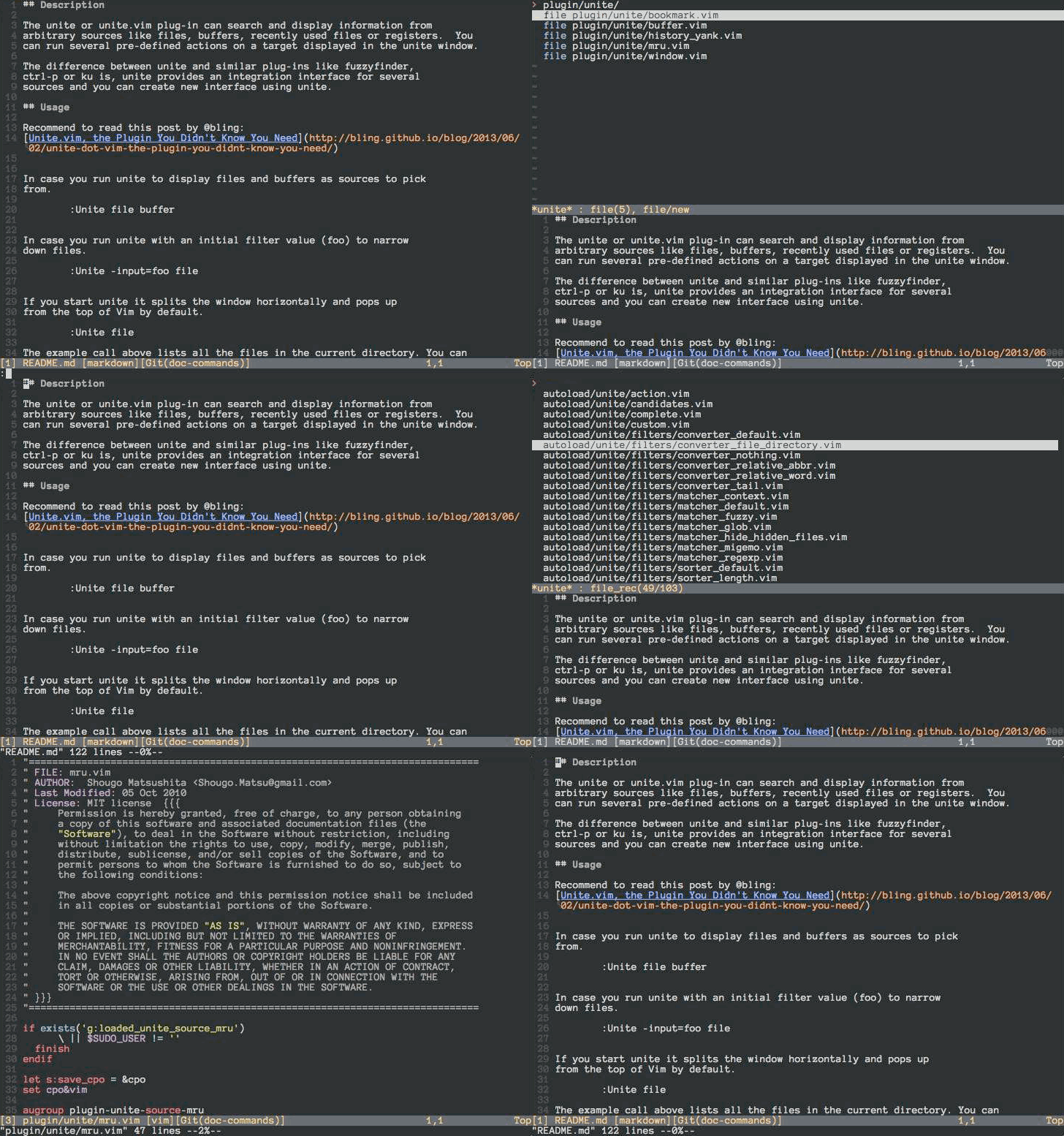
Shougo/unite.vim is one of the open-source repositories TopGit tracks, currently at 2.8k stars, written primarily in Vim Script. :dragon: Unite and create user interfaces
Snapshot summary built from the project's own GitHub metadata — there's no written TopGit review yet. The page will update automatically when a full review is published.
WHY NO REVIEW YET
TopGit writes full reviews for the most-starred, most-requested repositories. This page is a snapshot until then — see the READ ME tab for the original README in full.
Note: Active development on denite.nvim has stopped. The only future
changes will be bug fixes.
Please see ddu.vim.
The unite or unite.vim plug-in can search and display information from
arbitrary sources like files, buffers, recently used files or registers. You
can run several pre-defined actions on a target displayed in the unite window.
The difference between unite and similar plug-ins like fuzzyfinder,
ctrl-p or ku is that unite provides an integration interface for several
sources and you can create new interfaces using unite.
Usage
Run unite to display files and buffers as sources to pick from.
:Unite file buffer
Run unite with an initial filter value (foo) to narrow down files.
:Unite -input=foo file
If you start unite it splits the window horizontally and pops up
from the top of Vim by default.
:Unite file
The example call above lists all the files in the current directory. You can
choose one of them in the unite window by moving the cursor up and down
as usual with j and k. If you type Enter on an active candidate it will open
it in a new buffer. Enter triggers the default action for a candidate which is
"open" for candidates of the kind "file". You can also select an alternative
action for a candidate with . See also unite-action to read on about
actions.
You can also narrow down the list of candidates by a keyword. If you change
into the insert mode inside of a unite window, the cursor drops you behind the
">" in the second line from above. There you can start typing to filter the
candidates. You can also use the wild card * as an arbitrary character
sequence. For example,
*hisa
matches hisa, ujihisa, or ujihisahisa. Furthermore, two consecutive wild cards
match a directory recursively.
**/foo
So the example above matches bar/foo or buzz/bar/foo.
Note: The unite action file_rec does a recursive file matching by default
without the need to set wildcards.
You can also specify multiple keywords to narrow down the candidates. Multiple
keywords need to be separated either by a space " " or a dash "|". The
examples below match for candidates that meet both conditions "foo" and "bar".
foo bar
foo|bar
You can also specify negative conditions with an exclamation mark "!". This
matches candidates that meet "foo" but do not meet "bar".
foo !bar
Wild cards are added automatically if you add a "/" in the filter and you have
specified "files" as the buffer name with the option "-buffer-name". That's
handy in case you select files with unite.
:Unite -buffer-name=files file
See also unite_default_key_mappings for other actions.
Install
Install the distributed files into your Vim script directory which is usually
~/.vim/, or $HOME/vimfiles on Windows. You should consider using one of the
famous package managers for Vim like vundle or neobundle to install the
plugin.
After installation you can run unite with the :Unite command and append the
sources to the command you wish to select from as parameters. However, it's a
pain in the ass to run the command explicitly every time, so I recommend you
to set a key mapping for the command. See :h unite.
Note: MRU sources are splitted. To use mru sources, you must install neomru.
https://github.com/Shougo/neomru.vim
Resources
Unite plugins (in Japanese)
Unite.vim, the Plugin You Didn't Know You Need
Replacing All The Things with Unite.vim — Codeography
The most recent commit recorded on Shougo/unite.vim was 3.5 years ago, based on the GitHub push timestamp. The repository has 219 forks — one of the better signals of community interest.
How many stars does Shougo/unite.vim have?
Shougo/unite.vim has 2.8k GitHub stars — refresh the page for the live number, or check github.com/Shougo/unite.vim. TopGit mirrors GitHub's count but does not claim minute-by-minute accuracy.
Is Shougo/unite.vim open source?
TopGit's metadata for Shougo/unite.vim does not record a license. Most public repositories on GitHub ARE open source, but the exact terms vary — verify by opening the LICENSE file directly.
What is Shougo/unite.vim?
Shougo/unite.vim (Shougo/unite.vim) is a Vim Script project on GitHub. From the project's own README: :dragon: Unite and create user interfaces
What language is Shougo/unite.vim written in?
Shougo/unite.vim is written primarily in Vim Script. GitHub's language field is based on the largest share of bytes in the default branch.
Where do I read more about Shougo/unite.vim?
This TopGit page is a snapshot — the READ ME tab shows the project's own README content (links stripped, images preserved). The GitHub repository at github.com/Shougo/unite.vim is the definitive source.
Read full README in the tab above.
Still deciding about unite.vim?
One click hands the question to an AI along with this page — see what it says about unite.vim.

 /unite.vim