A look at sqshq/categolj2-backend: 6 stars on GitHub, written primarily in Java. CategoLJ2 - Simple and Portable RESTfull Blog System
Snapshot summary built from the project's own GitHub metadata — there's no written TopGit review yet. The page will update automatically when a full review is published.
WHY NO REVIEW YET
TopGit writes full reviews for the most-starred, most-requested repositories. This page is a snapshot until then — see the READ ME tab for the original README in full.
CategoljJ2 is a micro blog system. This backend provides REST API for blog system and admin console to manage these data. You can create any blog frontend using this APIs ;)
The following technologies are used.
Java 8
Spring Boot 1.2
Spring 4.1
Spring MVC
Spring Security OAuth
Spring Data JPA
JPA 2.1
Flyway
ThymeLeaf
Hibernate Search
React.js
Backbone.js
...
Normal launch
Download categolj2-backend.jar (0.20.0+) from release page.
This jar is executable by Spring Boot.
In case of using MySQL, docker-compose.yml is really useful.
$ cd backend-api/docker/docker-compose.yml
$ docker-compose up
After this command, MySQL and CategoLJ2 will run and connect ;)
Go to http://<Docker Host IP>
1st log will be as follows:
$ docker-compose up
Creating target_mysql_1...
Creating target_categolj2_1...
Attaching to target_mysql_1, target_categolj2_1
mysql_1     | Running mysql_install_db ...
mysql_1     | 2015-05-06 18:39:46 0 [Note] /usr/sbin/mysqld (mysqld 5.6.24-log) starting as process 13 ...
...
mysql_1     | 2015-05-06 18:40:16 13 [Note] InnoDB: Setting log file ./ib_logfile1 size to 1024 MB
mysql_1     | InnoDB: Progress in MB: 100 200 300 400 500 600 700 800 900 1000
categolj2_1 | Picked up _JAVA_OPTIONS: -Duser.timezone=JST -Djava.awt.headless=false -XX:+HeapDumpOnOutOfMemoryError -XX:HeapDumpPath=/var/log/categolj2/ -Xloggc:/var/log/categolj2/gc.log -XX:+PrintGCDetails -XX:+PrintGCDateStamps -XX:+UseGCLogFileRotation -XX:NumberOfGCLogFiles=5 -XX:GCLogFileSize=10M -XX:+UseConcMarkSweepGC -XX:CMSInitiatingOccupancyFraction=80 -XX:MaxTenuringThreshold=10 -XX:ErrorFile=/var/log/categolj2/hs_err_pid%p.log
categolj2_1 |
categolj2_1 | 2015-05-06 18:40:50.642  INFO 1 --- [           main] am.ik.categolj2.App                      : Starting App v1.0.0-SNAPSHOT on 95041a7555f9 with PID 1 (/opt/categolj2-backend/categolj2-backend.jar started by root in /opt/categolj2-backend)
mysql_1     | 2015-05-06 18:40:51 13 [Note] InnoDB: Renaming log file ./ib_logfile101 to ./ib_logfile0
...
mysql_1     | 2015-05-06 18:41:01 1 [Note] Execution of init_file '/tmp/mysql-first-time.sql' started.
mysql_1     | 2015-05-06 18:41:01 1 [Warning] 'proxies_priv' entry '@ root@abc9de9b36f2' ignored in --skip-name-resolve mode.
mysql_1     | 2015-05-06 18:41:01 1 [Note] Execution of init_file '/tmp/mysql-first-time.sql' ended.
mysql_1     | 2015-05-06 18:41:01 1 [Note] mysqld: ready for connections.
mysql_1     | Version: '5.6.24-log'  socket: '/var/run/mysqld/mysqld.sock'  port: 3306  MySQL Community Server (GPL)
categolj2_1 | 2015-05-06 18:41:01.973  INFO 1 --- [           main] am.ik.categolj2.config.InfraConfig       : Check DB availability... (172.17.0.87:3306)
categolj2_1 | 2015-05-06 18:41:02.696  INFO 1 --- [           main] am.ik.categolj2.config.InfraConfig       : OK
categolj2_1 | 2015-05-06 18:41:31.401  INFO 1 --- [           main] o.s.w.s.c.a.WebMvcConfigurerAdapter      : Adding welcome page: jar:file:/opt/categolj2-backend/categolj2-backend.jar!/lib/categolj2-frontend-ui-backbonejs-1.0.0-SNAPSHOT.jar!/META-INF/resources/index.html
categolj2_1 | 2015-05-06 18:41:33.267  INFO 1 --- [           main] am.ik.categolj2.App                      : Started App in 43.453 seconds (JVM running for 73.168)
It will be slow because mysql is initialized.
2nd+ will be the following:
$ docker-compose up
Recreating target_mysql_1...
Recreating target_categolj2_1...
Attaching to target_mysql_1, target_categolj2_1
categolj2_1 | Picked up _JAVA_OPTIONS: -Duser.timezone=JST -Djava.awt.headless=false -XX:+HeapDumpOnOutOfMemoryError -XX:HeapDumpPath=/var/log/categolj2/ -Xloggc:/var/log/categolj2/gc.log -XX:+PrintGCDetails -XX:+PrintGCDateStamps -XX:+UseGCLogFileRotation -XX:NumberOfGCLogFiles=5 -XX:GCLogFileSize=10M -XX:+UseConcMarkSweepGC -XX:CMSInitiatingOccupancyFraction=80 -XX:MaxTenuringThreshold=10 -XX:ErrorFile=/var/log/categolj2/hs_err_pid%p.log
categolj2_1 |
mysql_1     | 2015-05-06 18:45:55 0 [Note] mysqld (mysqld 5.6.24-log) starting as process 1 ...
...
mysql_1     | 2015-05-06 18:45:57 1 [Note] mysqld: ready for connections.
mysql_1     | Version: '5.6.24-log'  socket: '/var/run/mysqld/mysqld.sock'  port: 3306  MySQL Community Server (GPL)
categolj2_1 | 2015-05-06 18:46:08.999  INFO 1 --- [           main] am.ik.categolj2.App                      : Starting App v1.0.0-SNAPSHOT on 115ef47bee44 with PID 1 (/opt/categolj2-backend/categolj2-backend.jar started by root in /opt/categolj2-backend)
categolj2_1 | 2015-05-06 18:46:19.909  INFO 1 --- [           main] am.ik.categolj2.config.InfraConfig       : Check DB availability... (172.17.0.90:3306)
categolj2_1 | 2015-05-06 18:46:20.642  INFO 1 --- [           main] am.ik.categolj2.config.InfraConfig       : OK
categolj2_1 | 2015-05-06 18:46:35.776  INFO 1 --- [           main] o.s.w.s.c.a.WebMvcConfigurerAdapter      : Adding welcome page: jar:file:/opt/categolj2-backend/categolj2-backend.jar!/lib/categolj2-frontend-ui-backbonejs-1.0.0-SNAPSHOT.jar!/META-INF/resources/index.html
categolj2_1 | 2015-05-06 18:46:37.982  INFO 1 --- [           main] am.ik.categolj2.App                      : Started App in 29.826 seconds (JVM running for 34.083)
Backend APIs
Supported REST APIs are following.
Resource
Method
Path
Description
Pageable
Authenticated
Entries
GET
/api/v1/entries
Get all entries
×
Entries
GET
/api/v1/entries?keyword={keyword}
Search entries
×
Entries
GET
/api/v1/categories/{category}/entries
Get all entries associated with the specified category.
×
Entries
GET
/api/v1/users/{createdBy}/entries
Get all entries created with the specified user.
×
Entries
POST
/api/v1/entries
Create a new entry.
×
Entry
GET
/api/v1/entries/{entryId}
Get the specified entry.
Entry
PUT
/api/v1/entries/{entryId}
Update the specified entry.
×
Entry
DELETE
/api/v1/entries/{entryId}
Delete the specified entry.
×
Entry Histories
GET
/api/v1/entries/{entryId}/histories
Get all entry histories associated with the specified entry.
×
Categories
GET
/api/v1/categories
Get all categories.
Categories
GET
/api/v1/categories?keyword={keyword}
Search categories.
×
Recent Posts
GET
/api/v1/recentposts
Get entries updated recently.
Users
GET
/api/v1/users
Get all users.
×
×
Users
POST
/api/v1/users
Create a new user.
×
User
GET
/api/v1/users/{username}
Get the specified user.
×
User
PUT
/api/v1/users/{username}
Update the specified user.
×
User
DELETE
/api/v1/users/{username}
Delete the specified user.
×
User
GET
/api/v1/users/me
Get login user.
×
User
PUT
/api/v1/users/me
Update login user. (not implemented yet)
×
Links
GET
/api/v1/links
Get all links.
Links
POST
/api/v1/links
Create a new link.
×
Link
GET
/api/v1/links/{url}
Get the specified link.
Link
PUT
/api/v1/links/{url}
Update the specified link.
×
Link
DELETE
/api/v1/links/{url}
Delete the specified link.
×
Files
GET
/api/v1/files
Get all file summaries (not include file contents).
×
×
Files
POST
/api/v1/files Upload files.
×
File
GET
/api/v1/files/{fileId}
Get the specified file.
File
GET
/api/v1/files/{fileId}?attachment
Download the specified file (with prompt).
File
DELETE
/api/v1/files/{fileId}
Delete the specified file.
×
Books
GET
/api/v1/books?title={title}
Search books by the given title using Amazon Product API
×
Books
GET
/api/v1/books?keyword={keyword}
Search books by the given keyword using Amazon Product API
×
Admin Console Screenshots
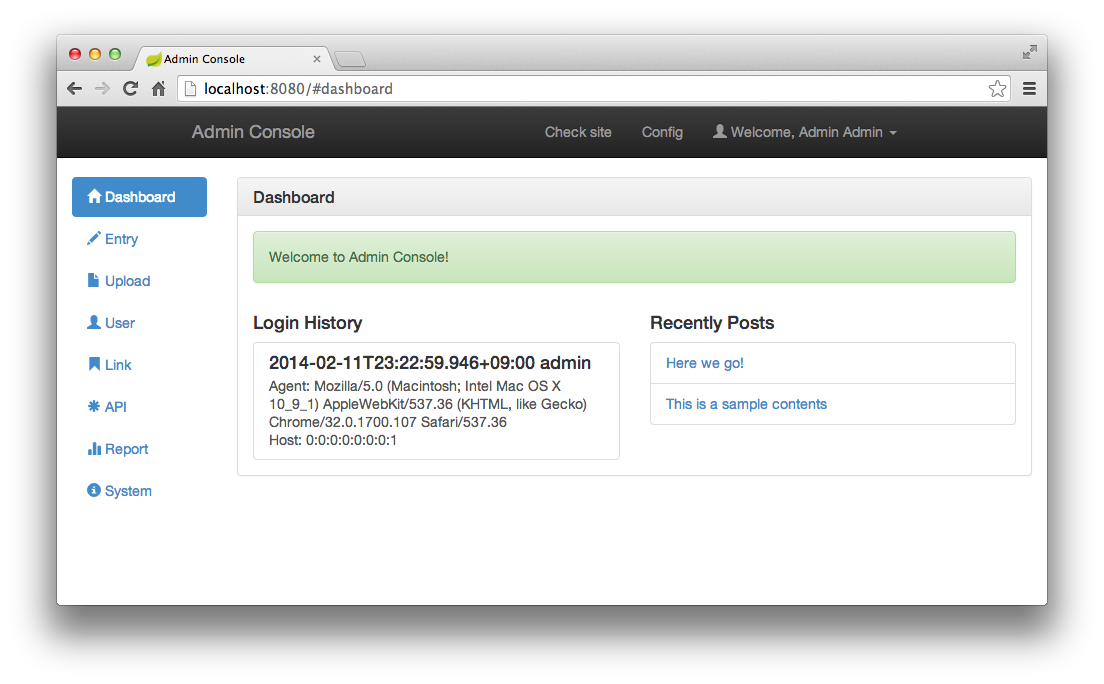
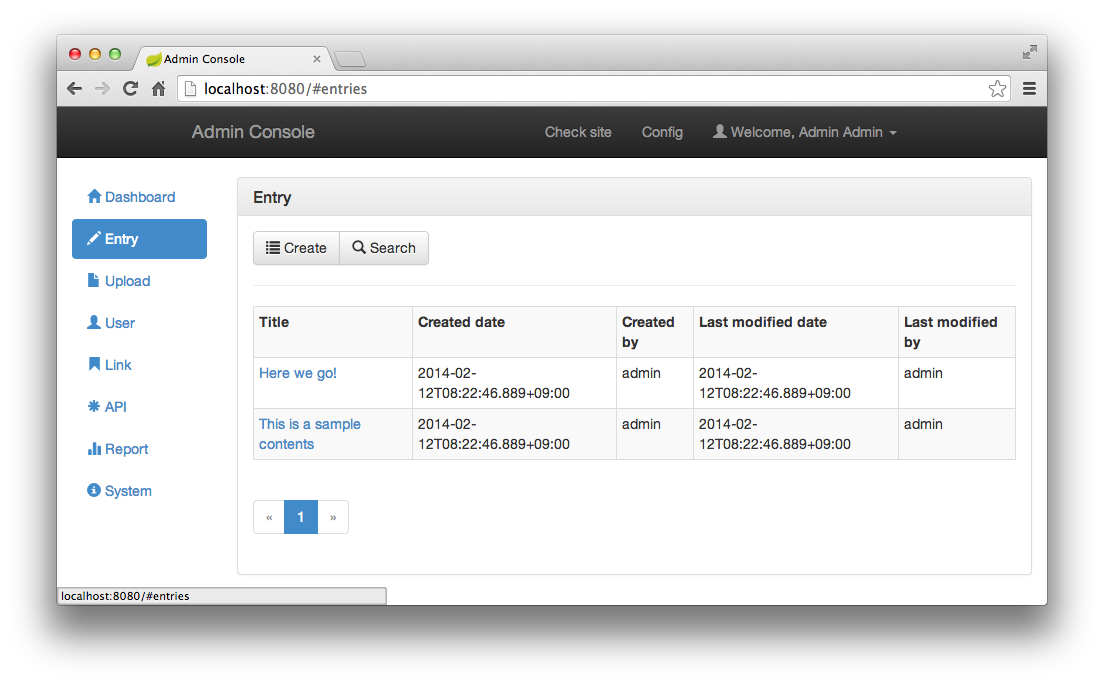
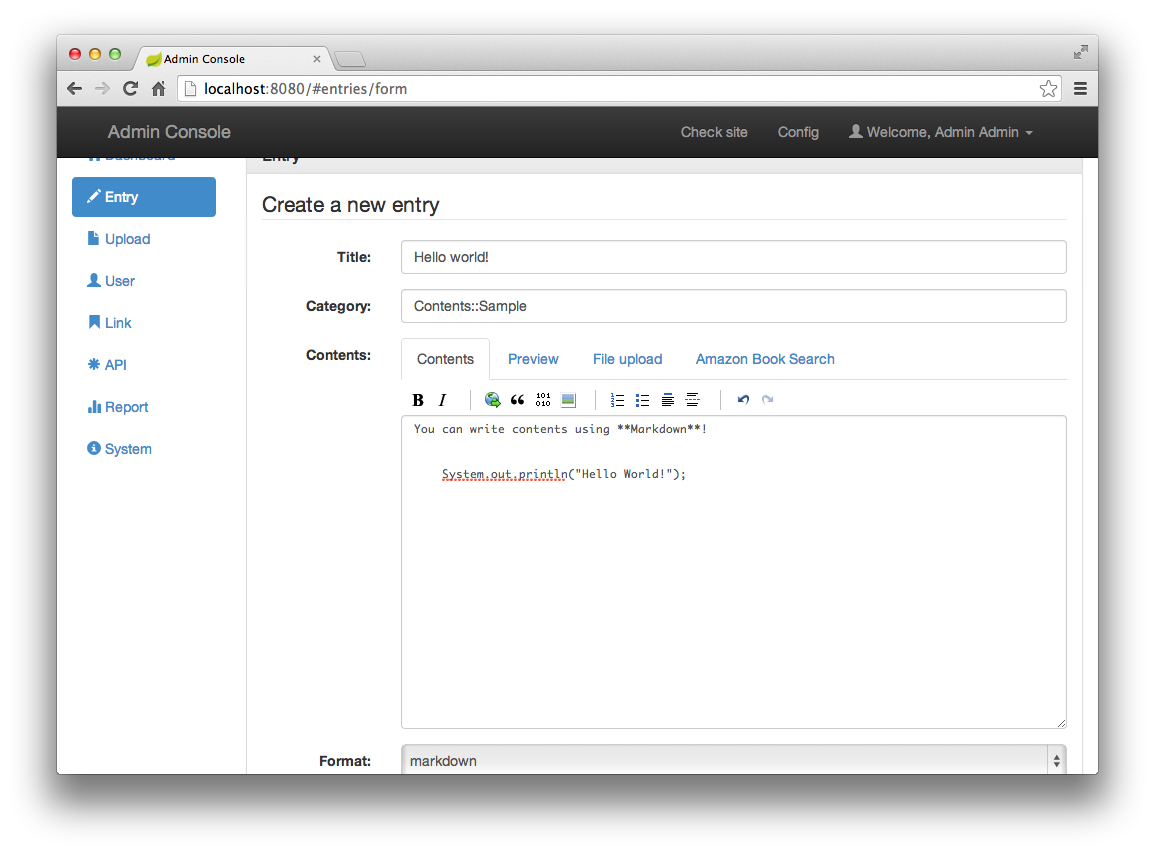
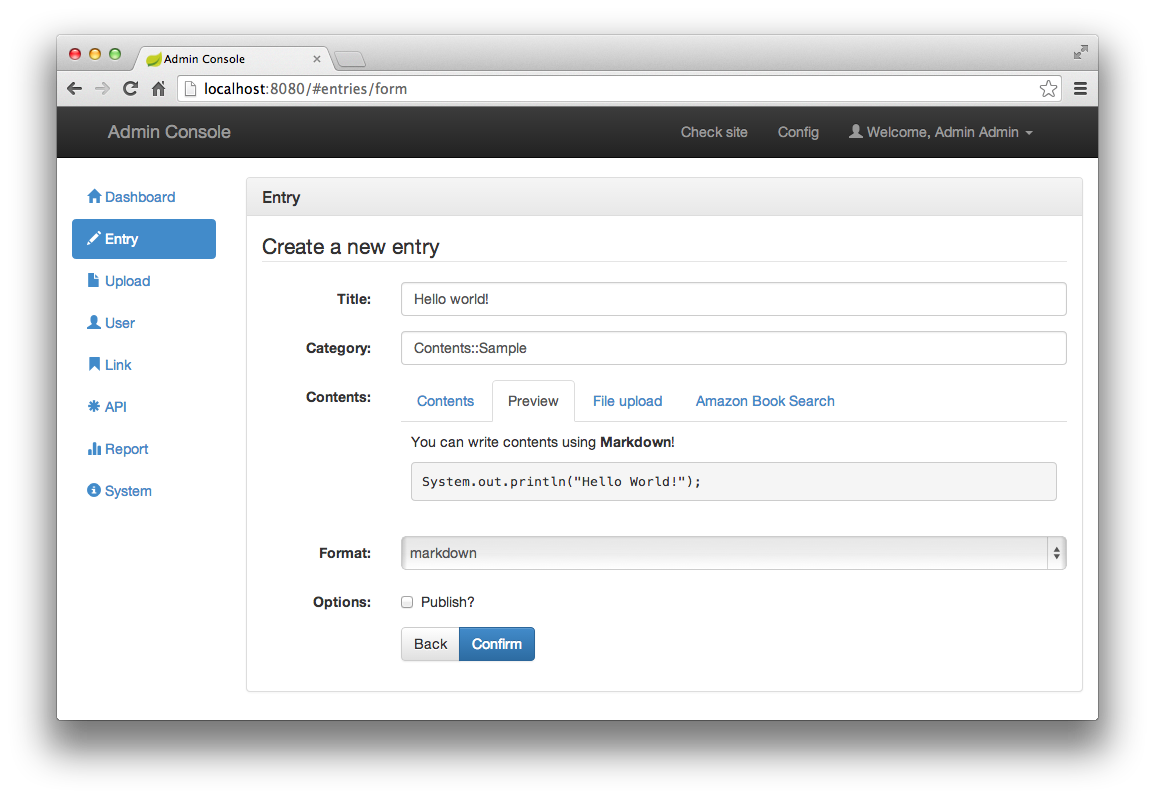
Admin console is a single page application using AJAX/REST API mentioned above.
Dashboard
Manage entries
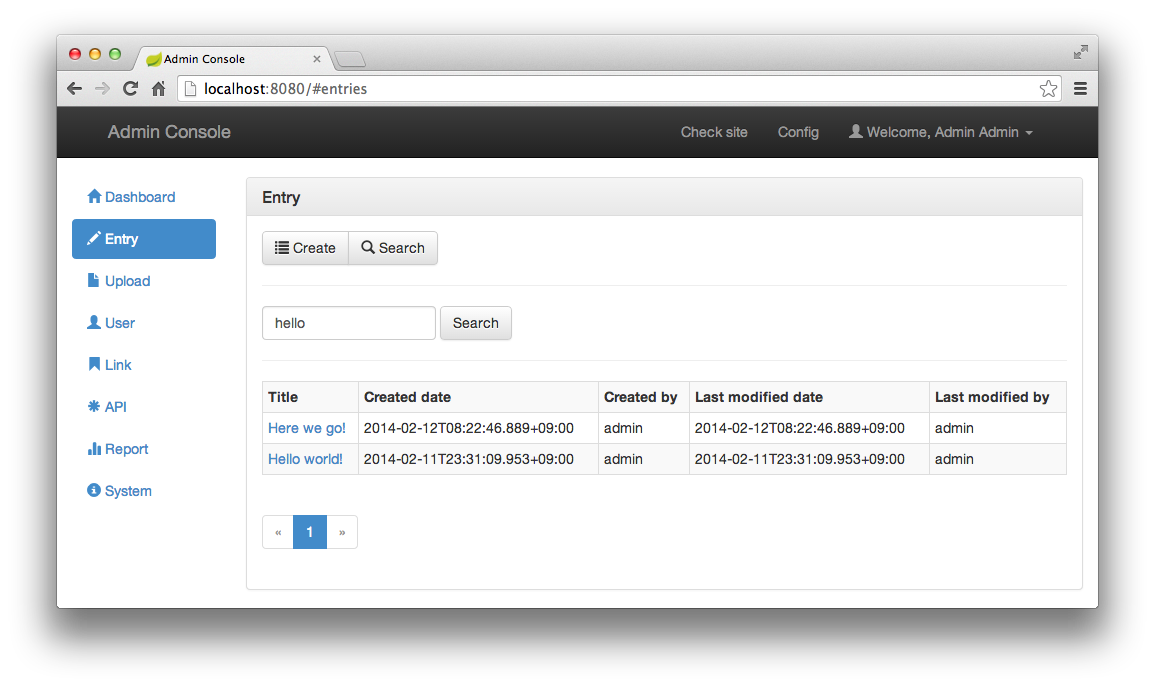
Entry list
Entry form
You can write contents using Markdown or raw HTML.
Entry preview
Live preview is available.
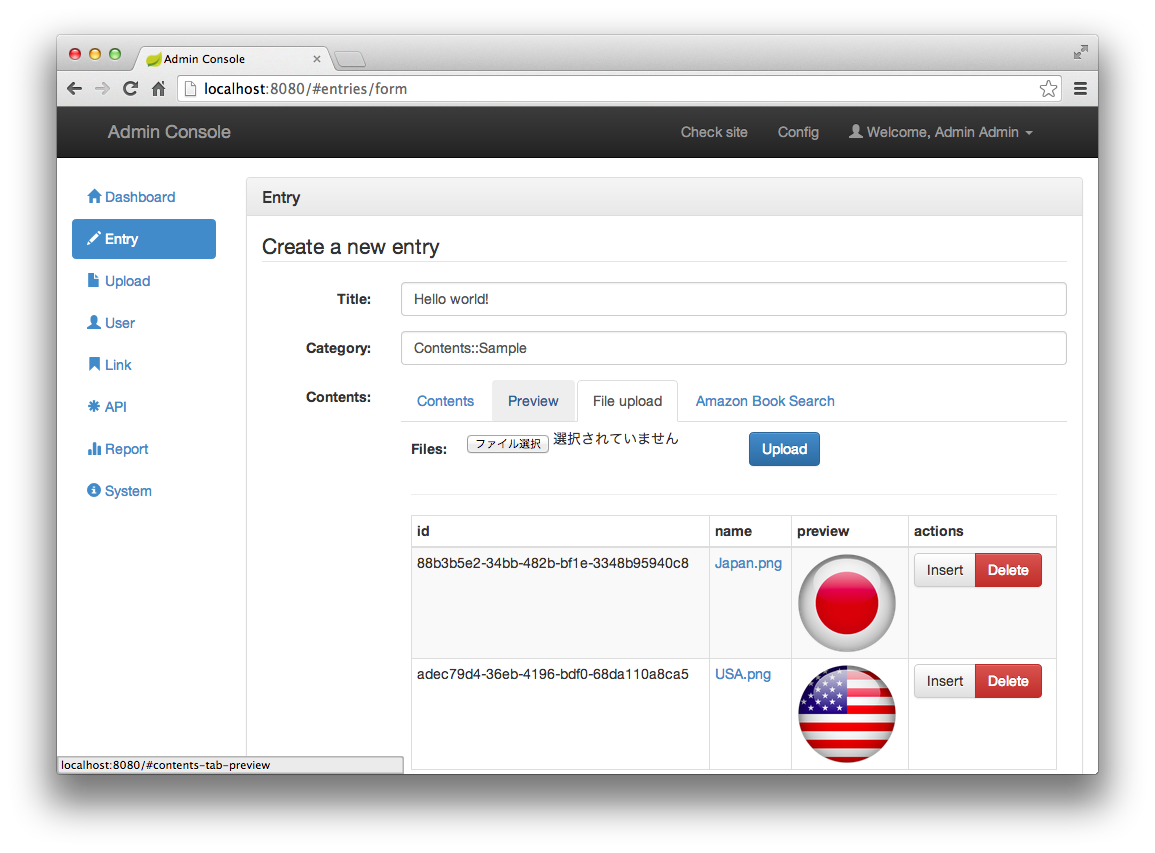
File upload
You can upload files to use the entry on the fly.
HTML5 multiple attribute is supported.
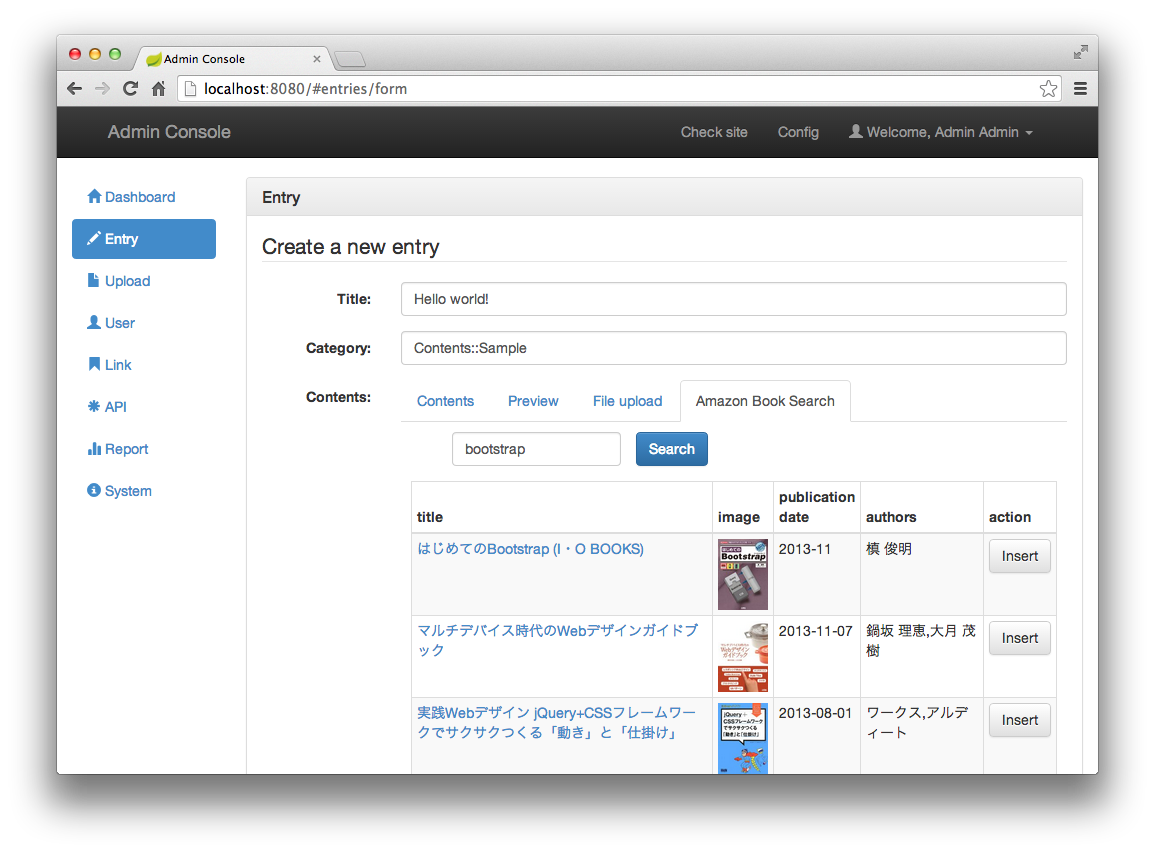
Amazon search
You can insert book link using Amazon Product API.
run with --aws.accesskey.id=<Your Accesskey ID for AWS> --aws.secret.accesskey=<Your Secret Accesskey for AWS> --aws.associate.tag=<Your Associate Tag>
Entry search
Full text search is available.
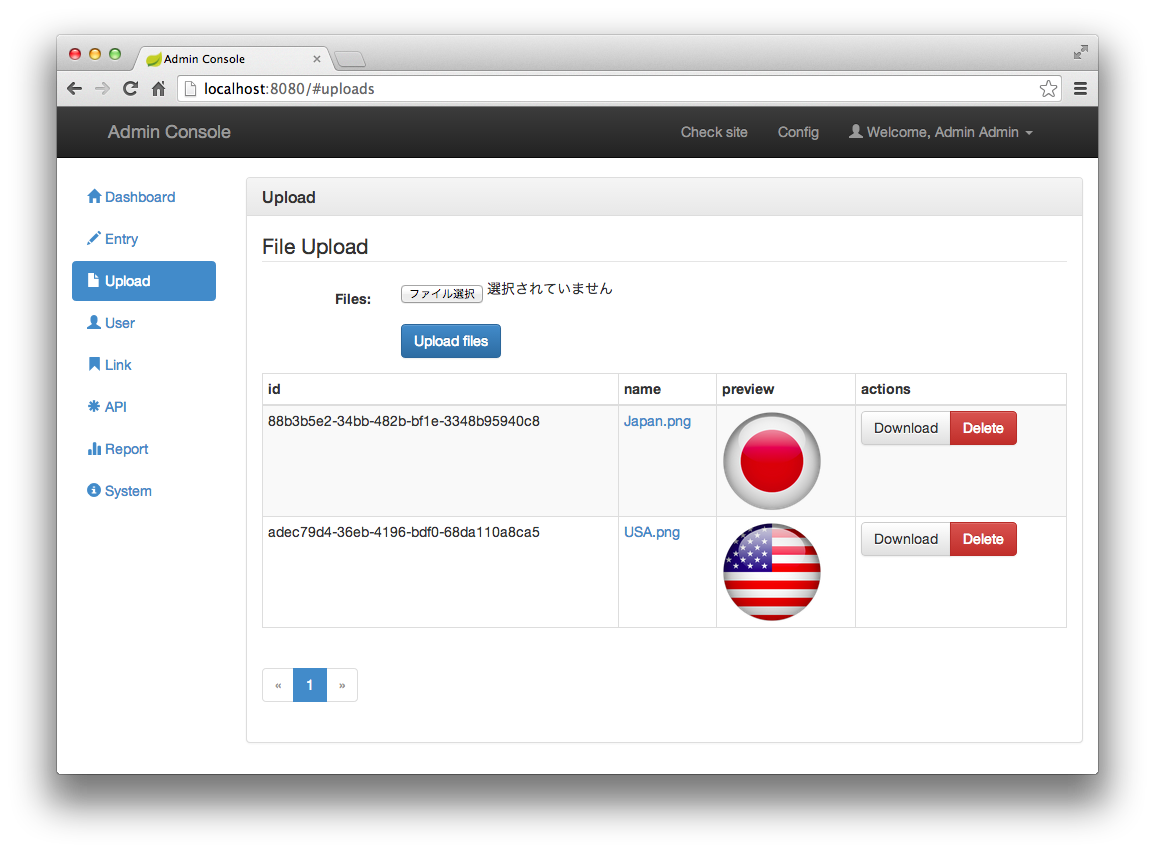
Manage uploaded files
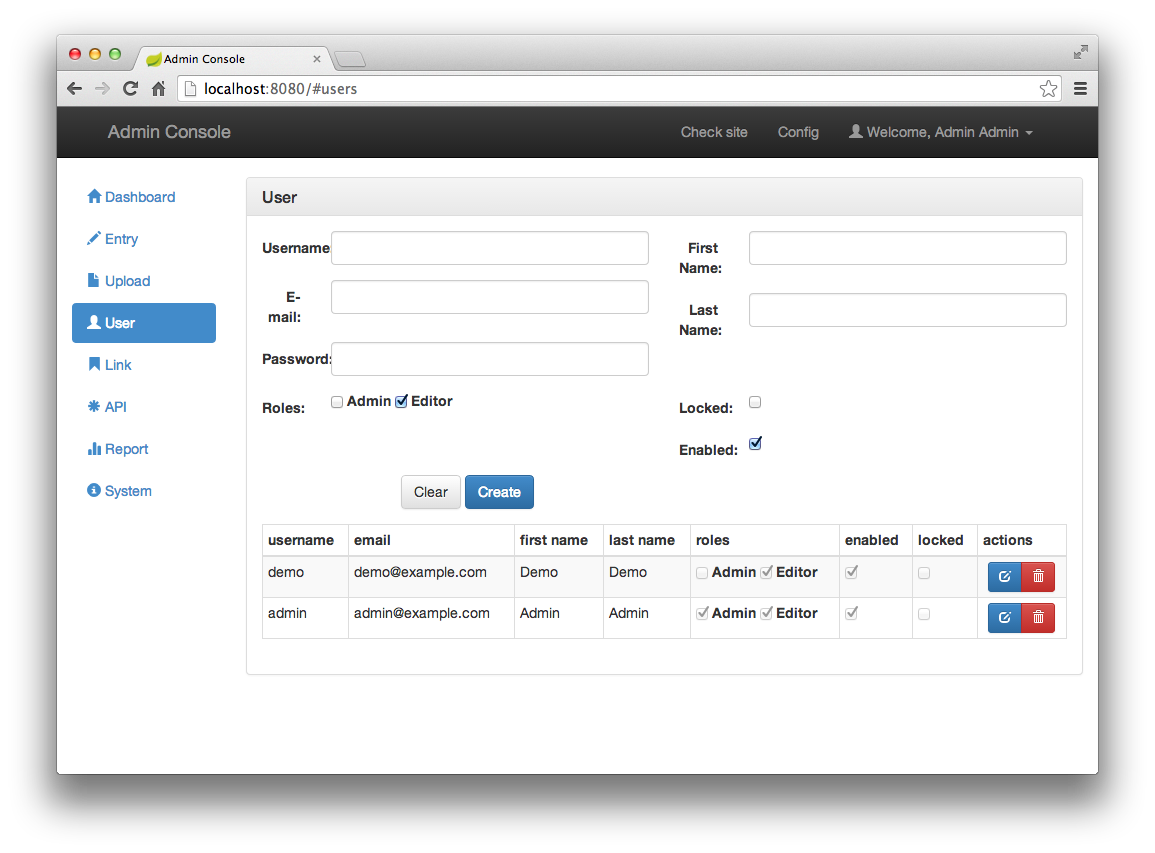
Manage users
User list
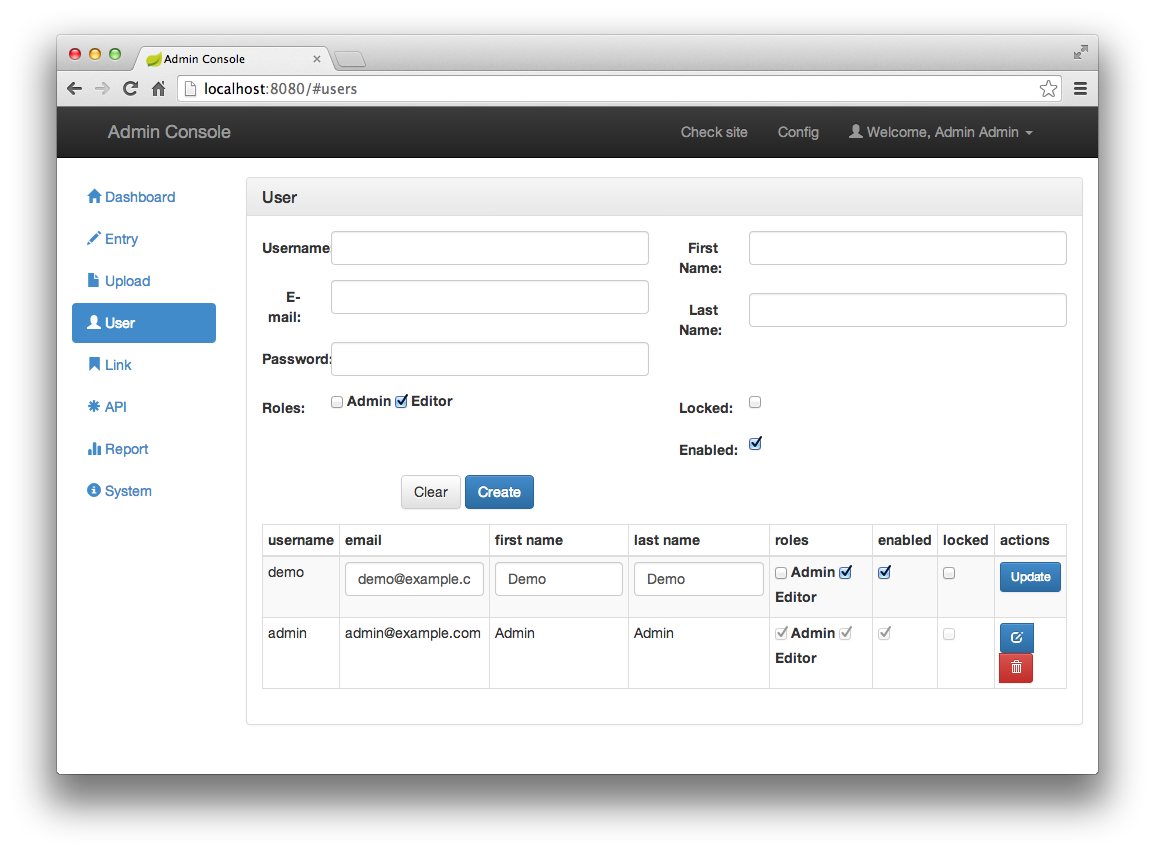
User edit
Inline edit is available.
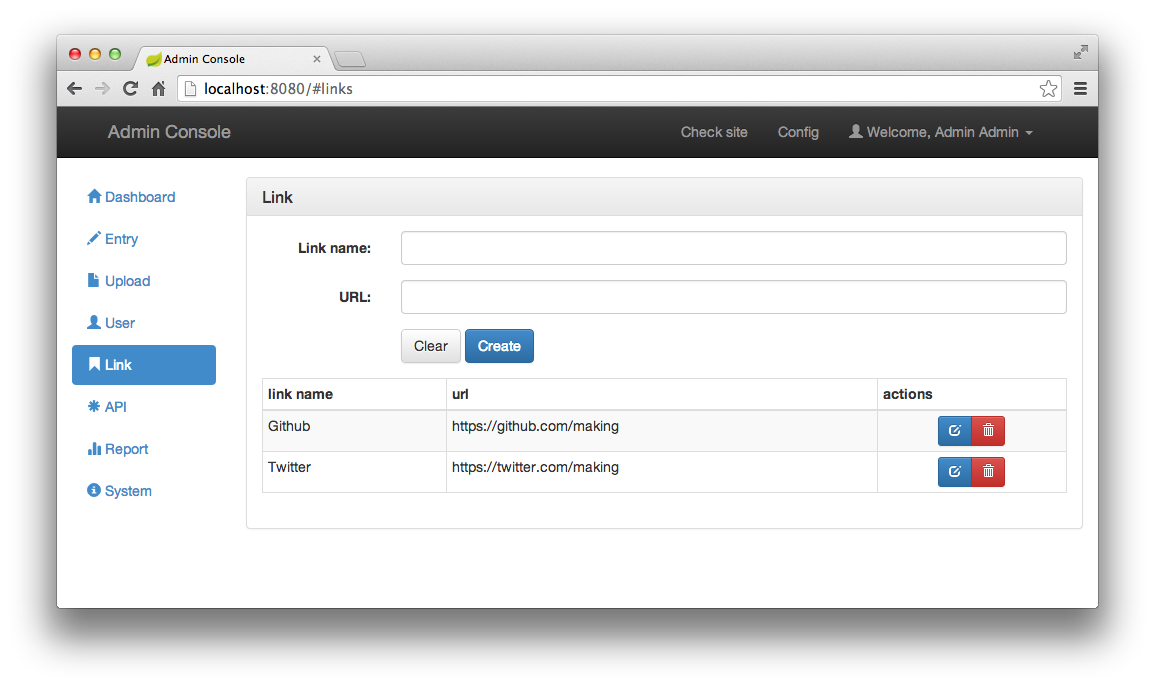
Manage links
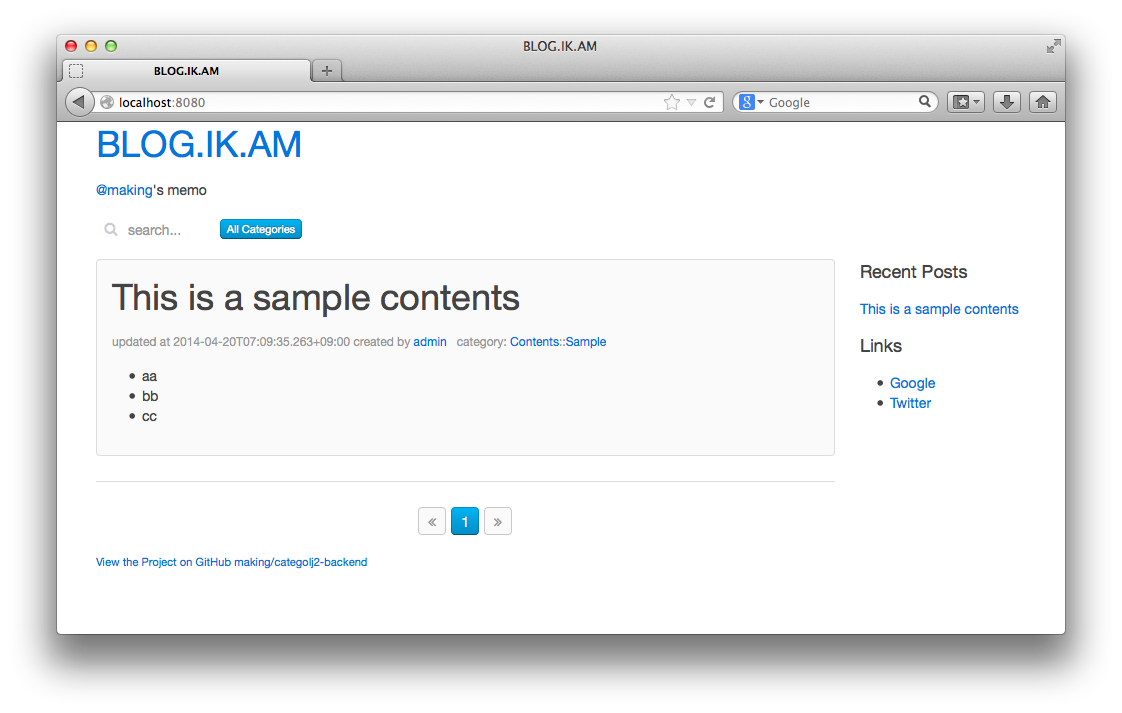
Setup frontend
The following sample fronted is embedded by default:
You can use your own frontend.
Create static/index.html at the same directory with categol2-backend.jar like bellow:
Does sqshq/categolj2-backend have a project website?
No homepage URL was recorded for sqshq/categolj2-backend in TopGit's last sync. The README tab above frequently contains screenshots and demo links, or check the repository description on GitHub.
Does sqshq/categolj2-backend have any tags?
TopGit's last sync did not record any GitHub topics for sqshq/categolj2-backend. GitHub topics appear in the right sidebar of a repository page; that's the authoritative place to check.
How active is development on sqshq/categolj2-backend?
The most recent commit recorded on sqshq/categolj2-backend was 11.5 years ago, based on the GitHub push timestamp. The repository has 7 forks — one of the better signals of community interest.
How many stars does sqshq/categolj2-backend have?
sqshq/categolj2-backend has 6 GitHub stars — refresh the page for the live number, or check github.com/sqshq/categolj2-backend. TopGit mirrors GitHub's count but does not claim minute-by-minute accuracy.
What language is sqshq/categolj2-backend written in?
sqshq/categolj2-backend is written primarily in Java. GitHub's language field is based on the largest share of bytes in the default branch.
Where do I read more about sqshq/categolj2-backend?
This TopGit page is a snapshot — the READ ME tab shows the project's own README content (links stripped, images preserved). The GitHub repository at github.com/sqshq/categolj2-backend is the definitive source.
Read full README in the tab above.
Want a second opinion on categolj2-backend?
Ask an AI that can read this page — one click and you get its take on categolj2-backend.

 /categolj2-backend