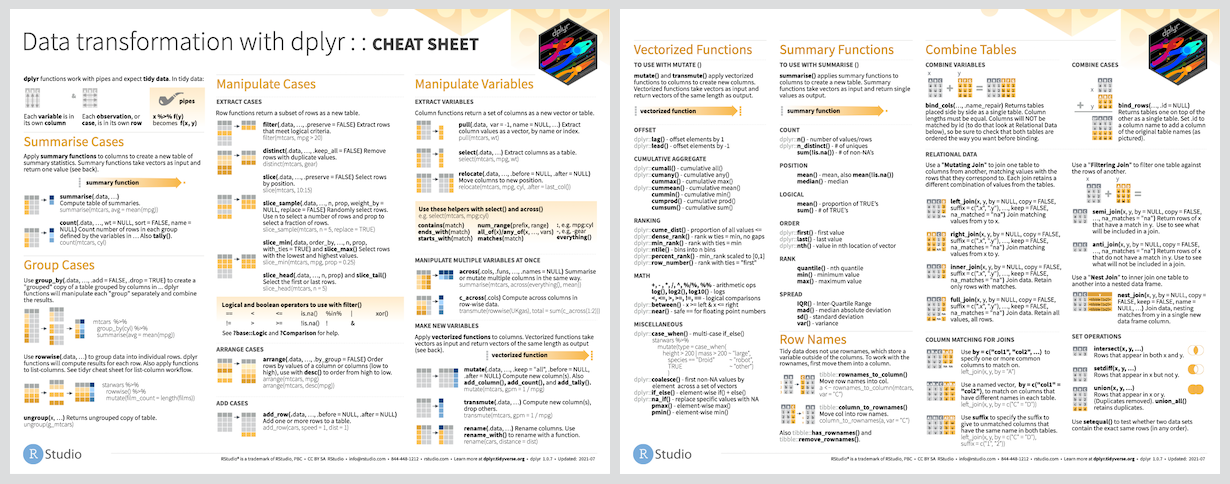
Snapshot of tidyverse/dplyr: 5.1k★, R. dplyr: A grammar of data manipulation
Snapshot summary built from the project's own GitHub metadata — there's no written TopGit review yet. The page will update automatically when a full review is published.
WHY NO REVIEW YET
TopGit writes full reviews for the most-starred, most-requested repositories. This page is a snapshot until then — see the READ ME tab for the original README in full.
dplyr is a grammar of data manipulation, providing a consistent set of
verbs that help you solve the most common data manipulation challenges:
mutate() adds new variables that are functions of existing variables
select() picks variables based on their names.
filter() picks cases based on their values.
summarise() reduces multiple values down to a single summary.
arrange() changes the ordering of the rows.
These all combine naturally with group_by() which allows you to
perform any operation “by group”. You can learn more about them in
vignette("dplyr"). As well as these single-table verbs, dplyr also
provides a variety of two-table verbs, which you can learn about in
vignette("two-table").
If you are new to dplyr, the best place to start is the data
transformation chapter in R for
Data Science.
Backends
In addition to data frames/tibbles, dplyr makes working with other
computational backends accessible and efficient. Below is a list of
alternative backends:
arrow for larger-than-memory
datasets, including on remote cloud storage like AWS S3, using the
Apache Arrow C++ engine,
Acero.
dbplyr for data stored in a
relational database. Translates your dplyr code to SQL.
dtplyr for large, in-memory datasets.
Translates your dplyr code to high performance
data.table code.
duckplyr for large, in-memory
datasets. Translates your dplyr code to high performance
duckdb queries with zero extra copies and an
automatic R fallback when translation isn’t possible.
sparklyr for very large datasets stored in
Apache Spark.
Installation
# The easiest way to get dplyr is to install the whole tidyverse:
install.packages("tidyverse")

# Alternatively, install just dplyr:
install.packages("dplyr")
Development version
To get a bug fix or to use a feature from the development version, you
can install the development version of dplyr from GitHub.
library(dplyr)

starwars |>
  filter(species == "Droid")
#> # A tibble: 6 × 14
#>   name   height  mass hair_color skin_color  eye_color birth_year sex   gender
#>   <chr>   <int> <dbl> <chr>      <chr>       <chr>          <dbl> <chr> <chr>
#> 1 C-3PO     167    75 <NA>       gold        yellow           112 none  masculi…
#> 2 R2-D2      96    32 <NA>       white, blue red               33 none  masculi…
#> 3 R5-D4      97    32 <NA>       white, red  red               NA none  masculi…
#> 4 IG-88     200   140 none       metal       red               15 none  masculi…
#> 5 R4-P17     96    NA none       silver, red red, blue         NA none  feminine
#> # ℹ 1 more row
#> # ℹ 5 more variables: homeworld <chr>, species <chr>, films <list>,
#> #   vehicles <list>, starships <list>

starwars |>
  select(name, ends_with("color"))
#> # A tibble: 87 × 4
#>   name           hair_color skin_color  eye_color
#>   <chr>          <chr>      <chr>       <chr>
#> 1 Luke Skywalker blond      fair        blue
#> 2 C-3PO          <NA>       gold        yellow
#> 3 R2-D2          <NA>       white, blue red
#> 4 Darth Vader    none       white       yellow
#> 5 Leia Organa    brown      light       brown
#> # ℹ 82 more rows

starwars |>
  mutate(name, bmi = mass / ((height / 100)^2)) |>
  select(name:mass, bmi)
#> # A tibble: 87 × 4
#>   name           height  mass   bmi
#>   <chr>           <int> <dbl> <dbl>
#> 1 Luke Skywalker    172    77  26.0
#> 2 C-3PO             167    75  26.9
#> 3 R2-D2              96    32  34.7
#> 4 Darth Vader       202   136  33.3
#> 5 Leia Organa       150    49  21.8
#> # ℹ 82 more rows

starwars |>
  arrange(desc(mass))
#> # A tibble: 87 × 14
#>   name      height  mass hair_color skin_color eye_color birth_year sex   gender
#>   <chr>      <int> <dbl> <chr>      <chr>      <chr>          <dbl> <chr> <chr>
#> 1 Jabba De…    175  1358 <NA>       green-tan… orange         600   herm… mascu…
#> 2 Grievous     216   159 none       brown, wh… green, y…       NA   male  mascu…
#> 3 IG-88        200   140 none       metal      red             15   none  mascu…
#> 4 Darth Va…    202   136 none       white      yellow          41.9 male  mascu…
#> 5 Tarfful      234   136 brown      brown      blue            NA   male  mascu…
#> # ℹ 82 more rows
#> # ℹ 5 more variables: homeworld <chr>, species <chr>, films <list>,
#> #   vehicles <list>, starships <list>

starwars |>
  group_by(species) |>
  summarise(
    n = n(),
    mass = mean(mass, na.rm = TRUE)
  ) |>
  filter(
    n > 1,
    mass > 50
  )
#> # A tibble: 9 × 3
#>   species      n  mass
#>   <chr>    <int> <dbl>
#> 1 Droid        6  69.8
#> 2 Gungan       3  74
#> 3 Human       35  81.3
#> 4 Kaminoan     2  88
#> 5 Mirialan     2  53.1
#> # ℹ 4 more rows
Getting help
If you encounter a clear bug, please file an issue with a minimal
reproducible example on
GitHub. For questions and
other discussion, please use forum.posit.co.
Code of conduct
Please note that this project is released with a Contributor Code of
Conduct. By participating
in this project you agree to abide by its terms.
The most recent commit recorded on tidyverse/dplyr was 2 months ago, based on the GitHub push timestamp. The repository has 2.1k forks — one of the better signals of community interest.
How many stars does tidyverse/dplyr have?
tidyverse/dplyr has 5.1k GitHub stars — refresh the page for the live number, or check github.com/tidyverse/dplyr. TopGit mirrors GitHub's count but does not claim minute-by-minute accuracy.
Is tidyverse/dplyr open source?
TopGit's metadata for tidyverse/dplyr does not record a license. Most public repositories on GitHub ARE open source, but the exact terms vary — verify by opening the LICENSE file directly.
What is tidyverse/dplyr?
tidyverse/dplyr (tidyverse/dplyr) is a R project on GitHub. From the project's own README: dplyr: A grammar of data manipulation
What language is tidyverse/dplyr written in?
tidyverse/dplyr is written primarily in R. GitHub's language field is based on the largest share of bytes in the default branch.
Where do I read more about tidyverse/dplyr?
This TopGit page is a snapshot — the READ ME tab shows the project's own README content (links stripped, images preserved). The GitHub repository at github.com/tidyverse/dplyr is the definitive source.
Read full README in the tab above.
Still deciding about dplyr?
One click hands the question to an AI along with this page — see what it says about dplyr.
 /dplyr